Build a working computer lab, not just a room full of computers.
A complete lab deployment service that gives schools practical digital learning infrastructure: computers, printer, UPS, stabilizer, furniture, software setup, student exposure and ongoing maintenance support.
Based on 8+ years of field learning, this service is designed to solve the real reason many school labs fail: no structured usage, no training, and no reliable support after installation.
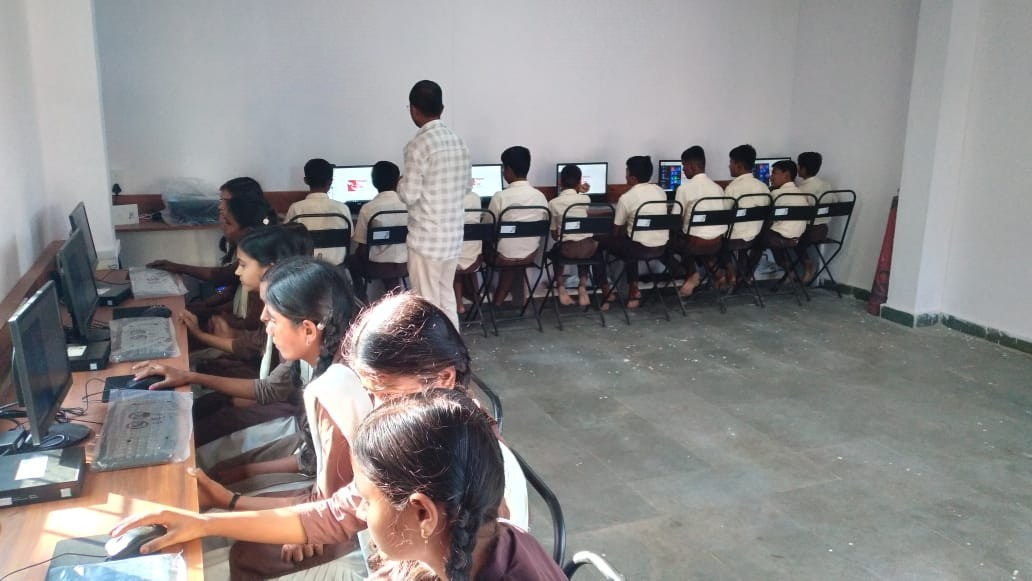
What the school receives through Service 03
A clear, complete lab solution for principals and school management teams who want students to gain practical computer confidence.
Lab Setup
Computers, printer, UPS, stabilizer and furniture.
Learning Software
Digital literacy tools and curriculum-linked content.
Student Practice
Hands-on sessions for confidence and exposure.
Maintenance
Regular support so the lab stays usable.
Skill Growth
Digital readiness for future academics and careers.
End-to-end computer lab deployment for real school conditions
Computer Hardware Setup
Complete lab infrastructure for daily student access.
- Desktop systems and monitors
- Keyboards, mouse and accessories
- Printer support
- UPS and stabilizer planning
Lab Furniture & Layout
Organized lab layout for safe and practical usage.
- Student seating and computer tables
- Teacher / trainer station
- Power and cable management
- Room readiness guidance
Software & Curriculum Support
Tools that help students learn through practice.
- Basic computer education
- Office productivity tools
- Digital literacy modules
- Exercises, projects and tests
Student Training Programs
Hands-on learning for confidence and future readiness.
- Mouse and keyboard familiarity
- Documents, presentations and spreadsheets
- Internet and responsible digital use
- Career-oriented digital exposure
Teacher Enablement
Computer lab also helps teachers in teaching and administration.
- Curriculum delivery support
- Assessment and project work
- Technology-integrated teaching
- Basic troubleshooting orientation
AMC & Usage Support
The key differentiator: keeping the lab functional after installation.
- Preventive maintenance checks
- Repairs and troubleshooting
- Asset tracking
- Usage monitoring and support
Computer labs create value only when they remain active and usable.
Upqor Education Hub’s approach is built around long-term usability, not one-time installation.
Common Lab Failure
- Computers installed but rarely used
- No teacher confidence
- No structured student learning plan
- Hardware downtime with no support
- Lab becomes locked or unused
Upqor Lab Model
- Ready-to-use lab infrastructure
- Teacher and student orientation
- Practical digital literacy modules
- AMC and issue support
- Regular usage and skill development focus
A practical lab implementation plan
Lab Assessment
Review room, electricity, furniture, network and student strength.
Configuration Plan
Finalize number of systems, printer, UPS, stabilizer, software and layout.
Installation + Orientation
Set up the lab and orient teachers/students for practical use.
AMC + Skill Support
Keep the lab functional through maintenance, support and usage review.
Plan a computer lab that improves student digital confidence.
Share your school details and we will suggest a complete computer lab package with hardware, software, training and support.