Transform classrooms into active digital learning spaces.
A complete Smart Classroom and e‑Vidyalaya solution that combines classroom hardware, teacher enablement, live online sessions, multimedia content and long-term usage support.
Built from 8+ years of ground-level school project learning, this service focuses on one clear outcome: technology should be used every week by teachers and students — not installed and forgotten.
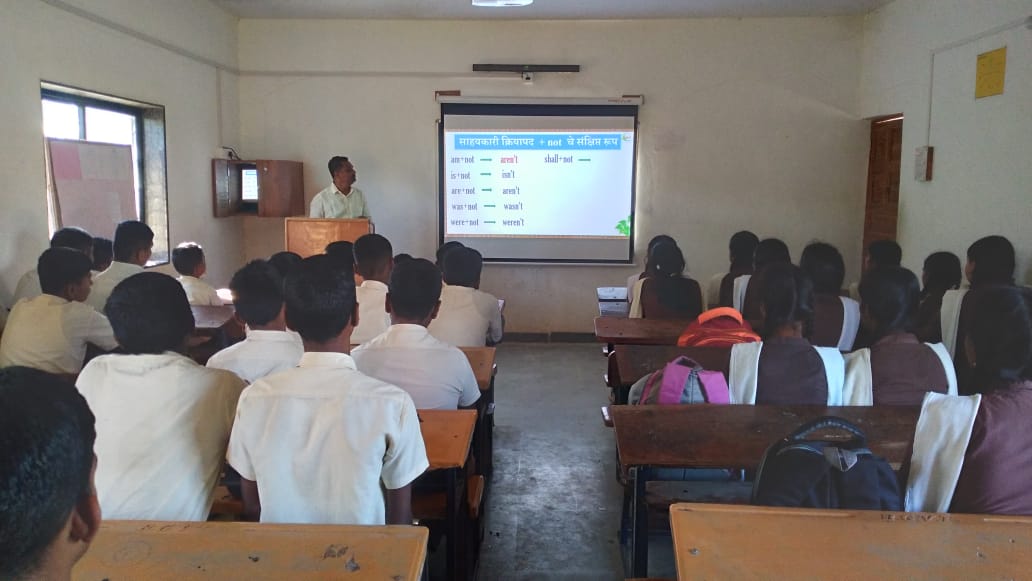
What the school receives in one integrated service
This page explains Service 02 clearly for principals, trustees and education departments: not only equipment, but a complete usage-driven learning ecosystem.
Classroom Setup
Projector/display, computer, audio, podium and classroom tools.
Teacher Training
Hands-on practical training so teachers can use the system daily.
Live Learning
e‑Vidyalaya sessions for remote mentoring and skill exposure.
Digital Content
Video, animation, exercises, notes, tests and interactive learning material.
Student Growth
Better engagement, digital literacy, confidence and future readiness.
Smart Classroom is a complete teaching transformation package
Smart Classroom Infrastructure
Physical classroom upgrade for multimedia teaching.
- Computer or teacher workstation
- Projector / interactive display
- style="margin: 7px 0;"Sound bar / speaker system
- Podium and classroom equipment
Teacher Enablement
Training is included so equipment becomes useful from day one.
- On-site usage orientation
- Digital teaching workflows
- Multimedia lesson practice
- Support for adoption gaps
Digital Learning Content
Content layer to make learning visual, interactive and easy to understand.
- Videos and animations
- Notes, revisions and tests
- Examples, exercises and projects
- Offline tutorial support where needed
e‑Vidyalaya Live Learning
Online learning and mentorship layer for rural and semi‑urban students.
- Live online courses
- AI, Excel, PowerPoint and English exposure
- Skill development sessions
- Guidance from mentors and volunteers
Student Engagement
Converts passive classroom time into active learning experiences.
- Audio-visual explanation
- Better participation
- Independent learning access
- Confidence with digital tools
Ongoing Usage Support
Prevents the common failure of smart classrooms becoming unused assets.
- Issue tracking
- Equipment support
- Refresher training
- Usage review with school team
Most smart classrooms fail because schools receive products, not a working system.
Our approach is designed around actual school challenges observed during project implementation.
Before School360
- Traditional blackboard-only teaching
- Low student engagement
- Equipment without proper training
- No structured digital content
- No online mentoring or skill exposure
After School360
- Interactive audio-visual classroom
- Teachers trained for daily use
- Digital content and live learning access
- Students exposed to digital skills
- Long-term usage and support model
Simple implementation path for each school
Classroom Assessment
Review current room, electricity, internet, seating and teaching needs.
Equipment Plan
Define hardware, audio, display, content and training requirements.
Installation + Training
Deploy the classroom and train teachers with practical use cases.
Live Learning Support
Activate e‑Vidyalaya, content usage and ongoing support rhythm.
Plan a Smart Classroom that teachers will actually use.
Share your school details and we will suggest the right classroom setup, training plan, e‑Vidyalaya access and support model.